

- Did this workflow or agent produce the right output?
- Is there an issue the team should fix?
- Has that issue already been fixed, or did we decide not to fix it?
- Is quality improving over time as the automation changes?
What a Review Means
A review has four practical parts:- Verdict: the human judgment of the run’s output.
- Status: the lifecycle of the issue or feedback.
- Notes and corrections: what was wrong, what the right answer should have been, or any context for the team.
- Attribution: who reviewed or closed the review.
Verdict
The verdict answers: “Was this output correct?” There are three outcomes:- Correct: the output is good enough to accept.
- Incorrect: the output is wrong in a way that should count against quality.
- Nit: feedback was left, but there is no correct/incorrect judgment.
- “The summary is correct, but the wording is a little awkward.”
- “This is acceptable, but we should consider adding a confidence field.”
- “Reviewer note only; no quality judgment.”
Status
The status answers: “What should the team do with this feedback?” There are three statuses:- Open: something needs attention.
- Closed: the issue has been fixed or no longer needs work.
- Won’t fix: the team looked at it and intentionally decided not to change the automation.
- Incorrect + Open: real failure, needs work.
- Incorrect + Closed: real failure that has now been fixed.
- Incorrect + Won’t fix: real failure, accepted as out of scope.
- Nit + Open: feedback to consider, but not a measured failure.
- Correct + Closed: accepted run, no action needed.
Corrections
A review can include corrected output. This is the expected answer a human wanted the automation to produce. Corrections are useful for three reasons:- They explain the failure more precisely than a note.
- They help the next developer understand what “fixed” should mean.
- They can be promoted into a dataset example so future changes catch the same mistake automatically.
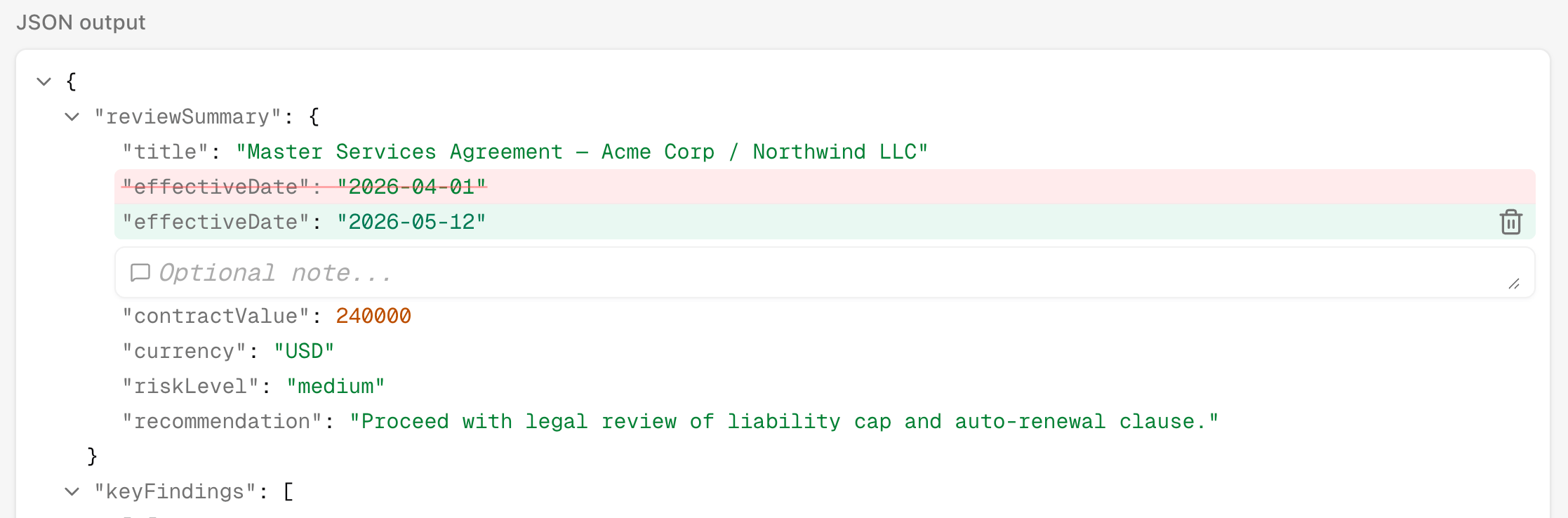
Click a field in the JSON output to set a corrected value inline, then save the review.
Monitoring
The Monitoring page turns reviews into a quality trend for one automation. It helps answer:- What share of reviewed production runs are correct?
- How much of the production volume are we reviewing?
- Are errors decreasing as we fix the automation?
- Are there periods with no completed runs, no reviews, or many unreviewed runs?
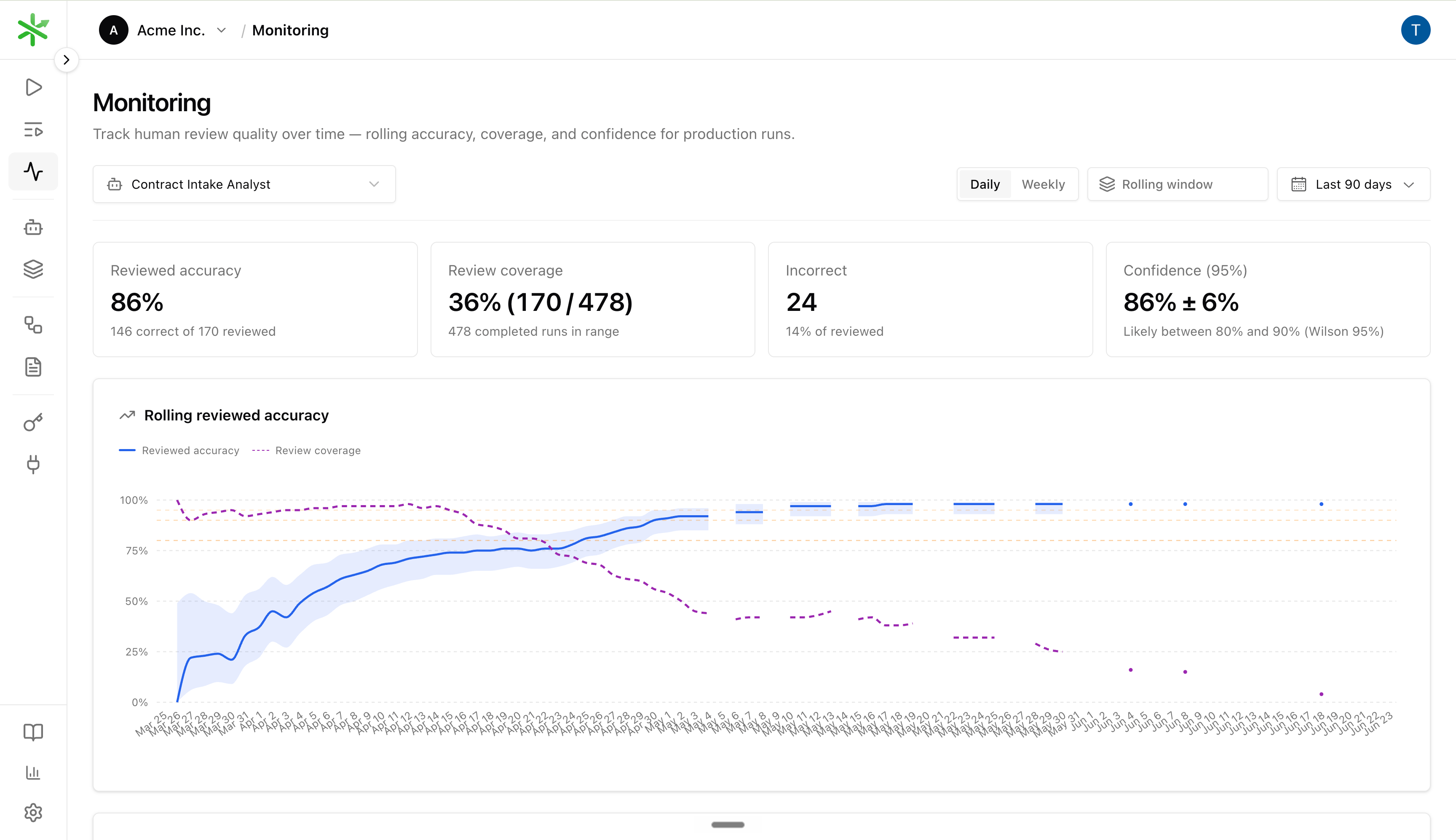
Monitoring for one automation: rolling reviewed accuracy, review coverage, and period breakdown.
Rolling window
Each point on the Rolling reviewed accuracy line is not a single day’s pass rate. It uses the N most recent reviewed runs ending at that date, where N is the Rolling window (for example 50 runs). A larger window smooths noise; a smaller window reacts faster after you ship a fix. The dashed Review coverage line on the same chart shows what share of production runs in the selected range received any review (including Nits). Use it together with accuracy: high accuracy on thin coverage can mean you are under-sampling.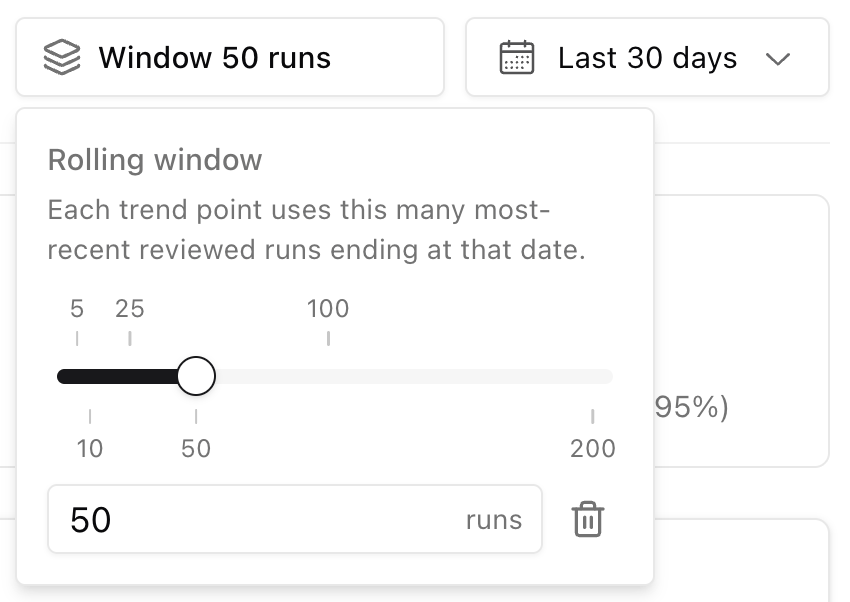
Set how many reviewed runs each trend point includes.
GET /api/v1/automations/{id}/reviews/health.
Sampling
You do not need to review every production run forever. Sampling means choosing a subset of completed runs to review on a regular cadence — daily, weekly, or after each release. On the Runs page, open Sample and set a rate (for example 25%). The list keeps the same pseudo-random subset as you scroll, so reviewers see a consistent slice of production volume instead of only the newest runs.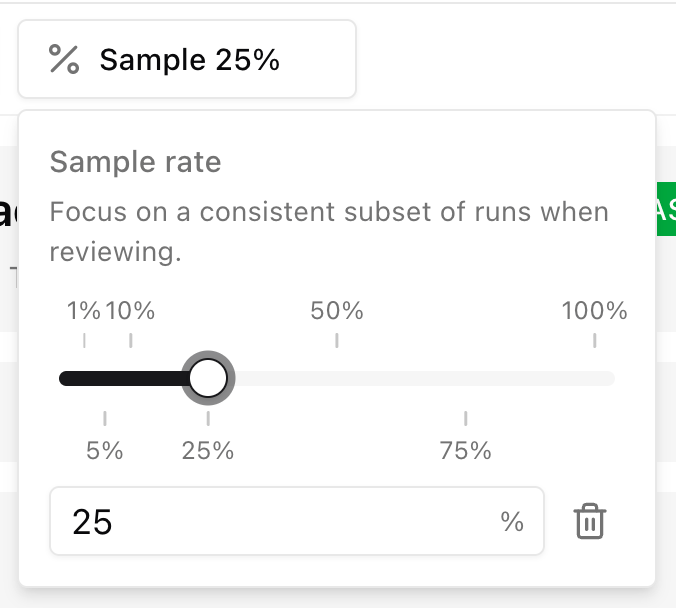
Sample rate on the Runs page — focus on a stable subset while reviewing.
- Raise sampling when accuracy drops, incorrect reviews spike, or you ship a risky change.
- Lower sampling when accuracy is stable, failure modes are understood, and evaluators cover the cases you already know about.
- Do not lower sampling just because the chart looks good for a few days. Wait until accuracy holds and the team accepts the remaining blind spots.
How Reviews Fit Into Development
A typical loop looks like this:- Run a workflow or agent in production.
- Review a sample of completed runs.
- Mark each reviewed run Correct, Incorrect, or Nit.
- Keep incorrect reviews Open while the issue needs work.
- Fix the workflow or agent.
- Rerun the same input and compare the new output.
- Close the review when the issue is fixed, or mark it Won’t fix if the team intentionally accepts it.
- Watch Monitoring to see whether accuracy improves over time.
eigenpal runs reviews CLI commands.