> ## Documentation Index
> Fetch the complete documentation index at: https://docs.eigenpal.com/llms.txt
> Use this file to discover all available pages before exploring further.
# Reviews
> Human feedback for production runs: verdicts, statuses, corrections, and monitoring.
Reviews are how people turn production run output into feedback the team can
act on. A review records what a human thought about one run, what needs to
happen next, and, when useful, the corrected answer.
Use reviews when you want to answer questions like:
* Did this workflow or agent produce the right output?
* Is there an issue the team should fix?
* Has that issue already been fixed, or did we decide not to fix it?
* Is quality improving over time as the automation changes?
Reviews work for both [workflows](/concepts/workflows) and
[agents](/concepts/agents), because both produce [runs](/concepts/automations).
They complement [evaluations](/concepts/evals): evaluations are automated
checks over curated examples, while reviews are human feedback on real runs.
## What a Review Means
A review has four practical parts:
* **Verdict**: the human judgment of the run's output.
* **Status**: the lifecycle of the issue or feedback.
* **Notes and corrections**: what was wrong, what the right answer should have
been, or any context for the team.
* **Attribution**: who reviewed or closed the review.
The most important distinction is verdict vs status.
## Verdict
The **verdict** answers: "Was this output correct?"
There are three outcomes:
* **Correct**: the output is good enough to accept.
* **Incorrect**: the output is wrong in a way that should count against quality.
* **Nit**: feedback was left, but there is no correct/incorrect judgment.
Use **Nit** for comments that should not affect quality metrics. Examples:
* "The summary is correct, but the wording is a little awkward."
* "This is acceptable, but we should consider adding a confidence field."
* "Reviewer note only; no quality judgment."
Monitoring uses verdicts to measure quality. Correct and Incorrect are counted
in accuracy. Nit is shown separately, but does not count as reviewed accuracy.
Runs with no review at all are **Unreviewed**.
## Status
The **status** answers: "What should the team do with this feedback?"
There are three statuses:
* **Open**: something needs attention.
* **Closed**: the issue has been fixed or no longer needs work.
* **Won't fix**: the team looked at it and intentionally decided not to change
the automation.
Status is for developer workflow. It lets the team use reviews as a lightweight
issue queue: inspect failures, leave notes, fix the workflow or agent, rerun the
same case, and close the review when the output is acceptable.
Verdict and status are independent. For example:
* **Incorrect + Open**: real failure, needs work.
* **Incorrect + Closed**: real failure that has now been fixed.
* **Incorrect + Won't fix**: real failure, accepted as out of scope.
* **Nit + Open**: feedback to consider, but not a measured failure.
* **Correct + Closed**: accepted run, no action needed.
Because status is a workflow tool, monitoring does not use it to calculate
accuracy. A closed incorrect review is still evidence that a run was incorrect;
closing it means the team has handled the issue.
## Corrections
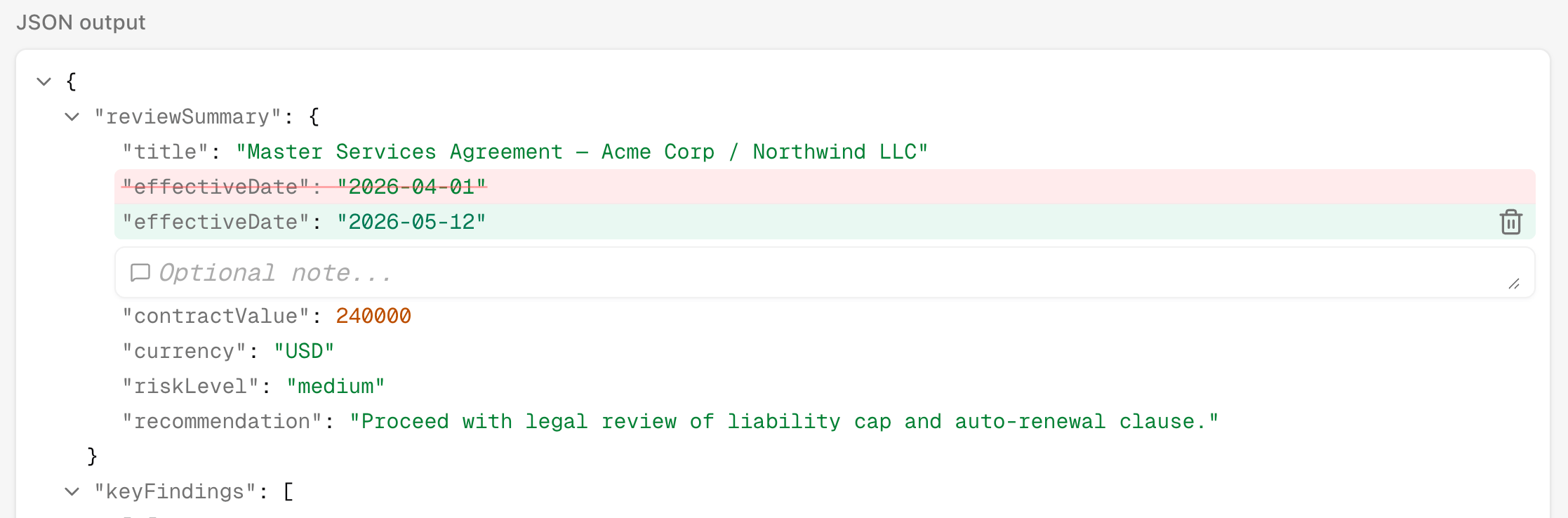
A review can include corrected output. This is the expected answer a human
wanted the automation to produce.
Corrections are useful for three reasons:
* They explain the failure more precisely than a note.
* They help the next developer understand what "fixed" should mean.
* They can be promoted into a dataset example so future changes catch the same
mistake automatically.
You can correct structured JSON output, files, or both. If the corrected case is
important, promote the reviewed run into a dataset and cover it with
[evaluators](/concepts/evals).
 ## Monitoring
The Monitoring page turns reviews into a quality trend for one automation.
It helps answer:
* What share of reviewed production runs are correct?
* How much of the production volume are we reviewing?
* Are errors decreasing as we fix the automation?
* Are there periods with no completed runs, no reviews, or many unreviewed runs?
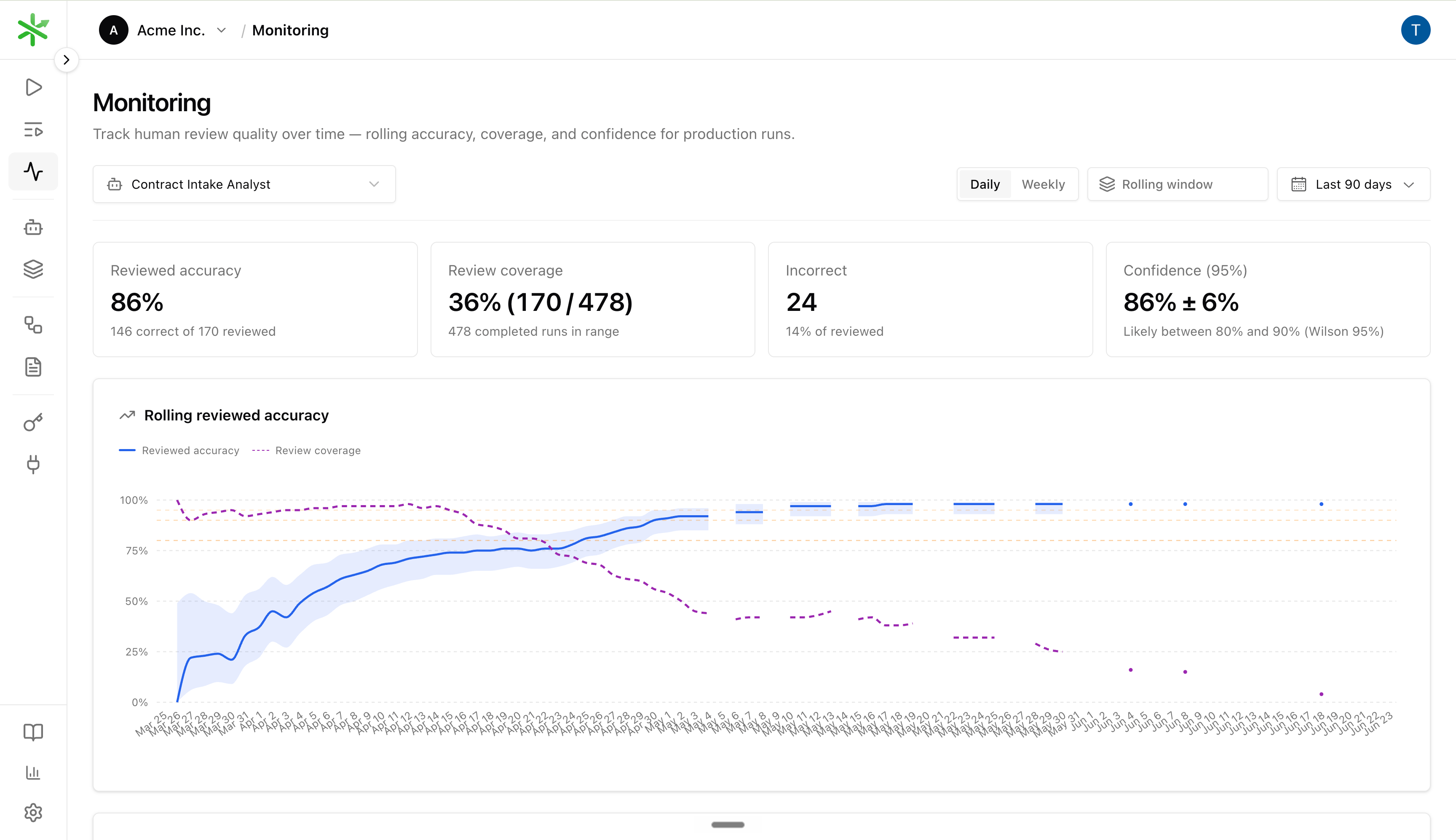
The top chart tracks rolling reviewed accuracy. The coverage chart shows the
mix of Correct, Incorrect, Nit, and Unreviewed runs by period.
## Monitoring
The Monitoring page turns reviews into a quality trend for one automation.
It helps answer:
* What share of reviewed production runs are correct?
* How much of the production volume are we reviewing?
* Are errors decreasing as we fix the automation?
* Are there periods with no completed runs, no reviews, or many unreviewed runs?
The top chart tracks rolling reviewed accuracy. The coverage chart shows the
mix of Correct, Incorrect, Nit, and Unreviewed runs by period.
 ### Rolling window
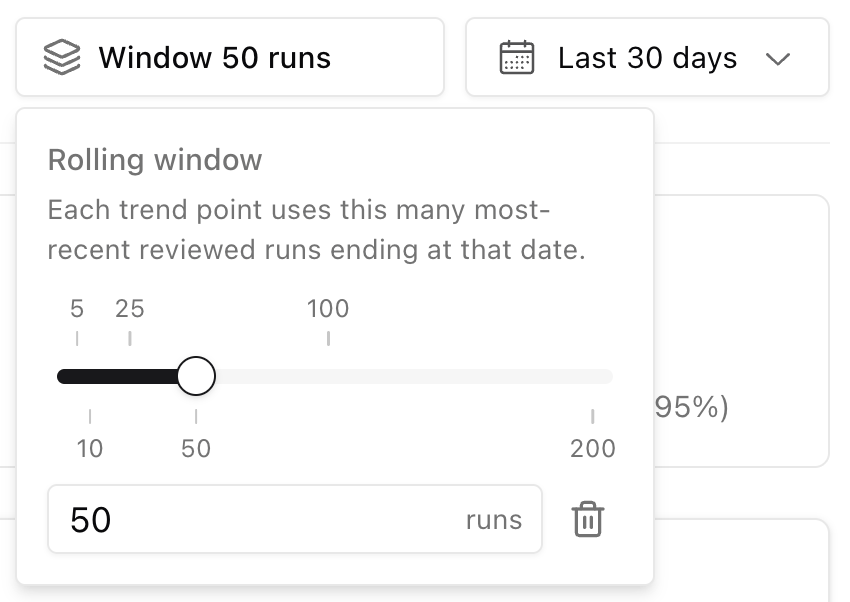
Each point on the **Rolling reviewed accuracy** line is not a single day's pass
rate. It uses the **N most recent reviewed runs** ending at that date, where N
is the **Rolling window** (for example 50 runs). A larger window smooths noise;
a smaller window reacts faster after you ship a fix.
The dashed **Review coverage** line on the same chart shows what share of
production runs in the selected range received any review (including Nits). Use
it together with accuracy: high accuracy on thin coverage can mean you are
under-sampling.
### Rolling window
Each point on the **Rolling reviewed accuracy** line is not a single day's pass
rate. It uses the **N most recent reviewed runs** ending at that date, where N
is the **Rolling window** (for example 50 runs). A larger window smooths noise;
a smaller window reacts faster after you ship a fix.
The dashed **Review coverage** line on the same chart shows what share of
production runs in the selected range received any review (including Nits). Use
it together with accuracy: high accuracy on thin coverage can mean you are
under-sampling.
 Monitoring is best used with a consistent review habit. For high-volume
automations, review a sample of runs every day or week. For early automations,
review most or all runs until quality stabilizes. See [Sampling](#sampling) for
how to adjust that rate as quality improves.
In the API, monitoring uses
`GET /api/v1/automations/{id}/reviews/health`.
## Sampling
You do not need to review every production run forever. **Sampling** means
choosing a subset of completed runs to review on a regular cadence — daily,
weekly, or after each release.
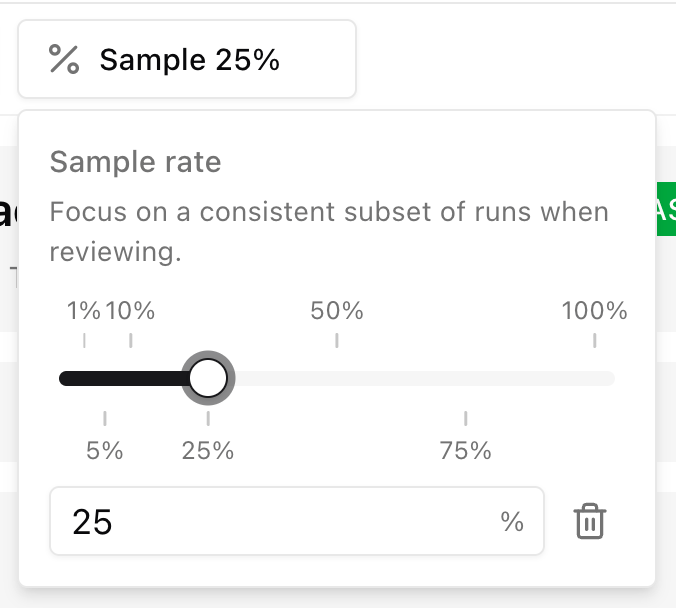
On the **Runs** page, open **Sample** and set a rate (for example 25%). The
list keeps the same pseudo-random subset as you scroll, so reviewers see a
consistent slice of production volume instead of only the newest runs.
Monitoring is best used with a consistent review habit. For high-volume
automations, review a sample of runs every day or week. For early automations,
review most or all runs until quality stabilizes. See [Sampling](#sampling) for
how to adjust that rate as quality improves.
In the API, monitoring uses
`GET /api/v1/automations/{id}/reviews/health`.
## Sampling
You do not need to review every production run forever. **Sampling** means
choosing a subset of completed runs to review on a regular cadence — daily,
weekly, or after each release.
On the **Runs** page, open **Sample** and set a rate (for example 25%). The
list keeps the same pseudo-random subset as you scroll, so reviewers see a
consistent slice of production volume instead of only the newest runs.
 Early on, sample heavily. Review most or all runs while failure modes are still
unknown and fixes are landing often. As rolling accuracy improves and the same
mistakes stop appearing, you can **lower the sampling rate** and still trust the
trend.
The goal is not 100% review coverage forever. The goal is enough reviewed runs to
catch regressions without spending all your time on review.
A healthy rollout often looks like this: accuracy rises as you fix issues, and
review coverage can step down once the automation is stable. Your numbers depend
on volume, risk, and how fast the automation is changing.
Use Monitoring to decide whether to sample more or less:
* **Raise sampling** when accuracy drops, incorrect reviews spike, or you ship a
risky change.
* **Lower sampling** when accuracy is stable, failure modes are understood, and
[evaluators](/concepts/evals) cover the cases you already know about.
* **Do not lower sampling** just because the chart looks good for a few days.
Wait until accuracy holds and the team accepts the remaining blind spots.
Sampling and evaluations work together. Reviews watch production reality;
evaluations guard the cases you have already turned into dataset examples. As
eval coverage grows, production review can focus on new edge cases instead of
re-checking the same paths every day.
## How Reviews Fit Into Development
A typical loop looks like this:
1. Run a workflow or agent in production.
2. Review a sample of completed runs.
3. Mark each reviewed run Correct, Incorrect, or Nit.
4. Keep incorrect reviews Open while the issue needs work.
5. Fix the workflow or agent.
6. Rerun the same input and compare the new output.
7. Close the review when the issue is fixed, or mark it Won't fix if the team
intentionally accepts it.
8. Watch Monitoring to see whether accuracy improves over time.
For the hands-on walkthrough, see [Review production runs](/guides/review-runs).
For implementation details, see the [API reference](/api-reference) and the
[`eigenpal runs reviews`](/cli/runs) CLI commands.
Early on, sample heavily. Review most or all runs while failure modes are still
unknown and fixes are landing often. As rolling accuracy improves and the same
mistakes stop appearing, you can **lower the sampling rate** and still trust the
trend.
The goal is not 100% review coverage forever. The goal is enough reviewed runs to
catch regressions without spending all your time on review.
A healthy rollout often looks like this: accuracy rises as you fix issues, and
review coverage can step down once the automation is stable. Your numbers depend
on volume, risk, and how fast the automation is changing.
Use Monitoring to decide whether to sample more or less:
* **Raise sampling** when accuracy drops, incorrect reviews spike, or you ship a
risky change.
* **Lower sampling** when accuracy is stable, failure modes are understood, and
[evaluators](/concepts/evals) cover the cases you already know about.
* **Do not lower sampling** just because the chart looks good for a few days.
Wait until accuracy holds and the team accepts the remaining blind spots.
Sampling and evaluations work together. Reviews watch production reality;
evaluations guard the cases you have already turned into dataset examples. As
eval coverage grows, production review can focus on new edge cases instead of
re-checking the same paths every day.
## How Reviews Fit Into Development
A typical loop looks like this:
1. Run a workflow or agent in production.
2. Review a sample of completed runs.
3. Mark each reviewed run Correct, Incorrect, or Nit.
4. Keep incorrect reviews Open while the issue needs work.
5. Fix the workflow or agent.
6. Rerun the same input and compare the new output.
7. Close the review when the issue is fixed, or mark it Won't fix if the team
intentionally accepts it.
8. Watch Monitoring to see whether accuracy improves over time.
For the hands-on walkthrough, see [Review production runs](/guides/review-runs).
For implementation details, see the [API reference](/api-reference) and the
[`eigenpal runs reviews`](/cli/runs) CLI commands.